Chezzo
A children's chess app, from the first move to understanding checkmate.
Designed and built by me.
- iOSLive
- AndroidIn review

The product
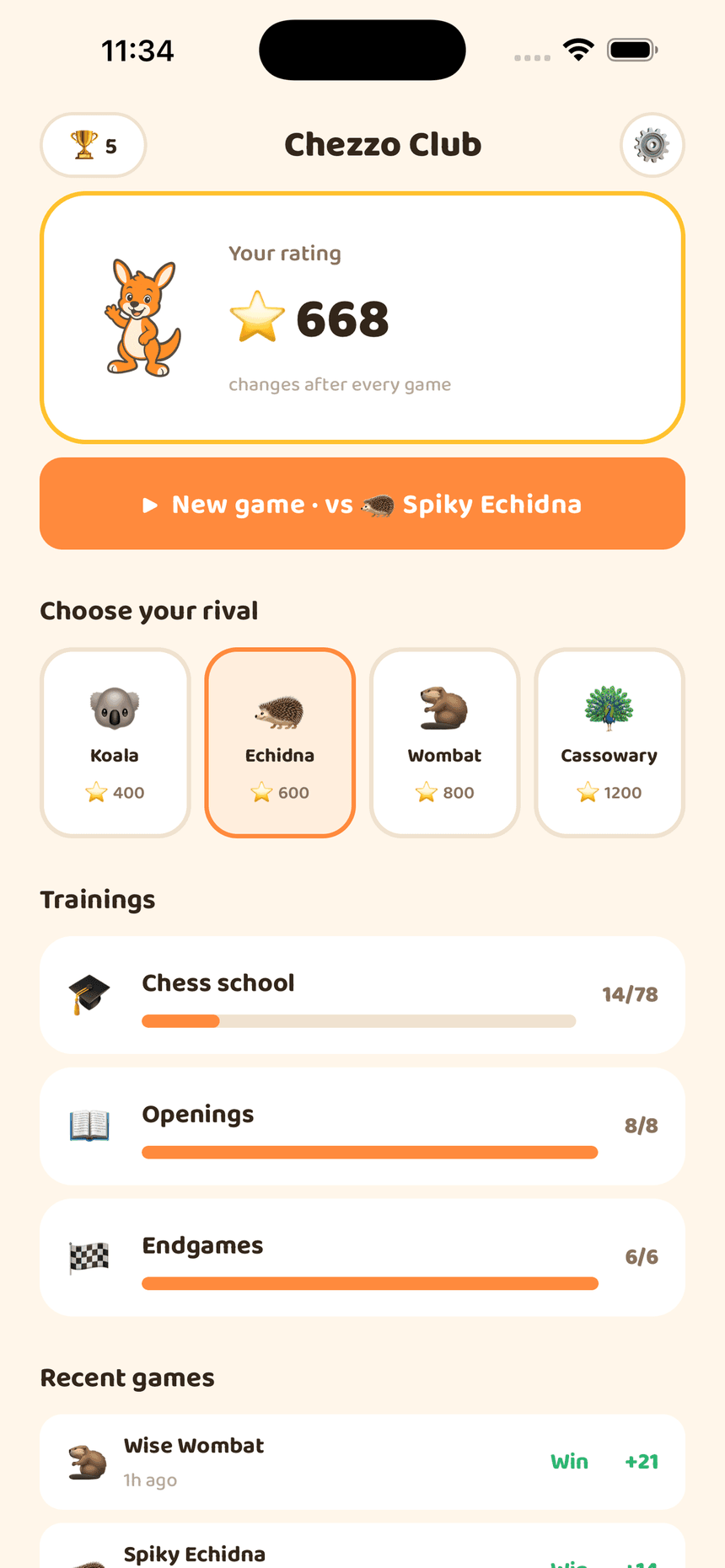
Club: rating, rivals and training 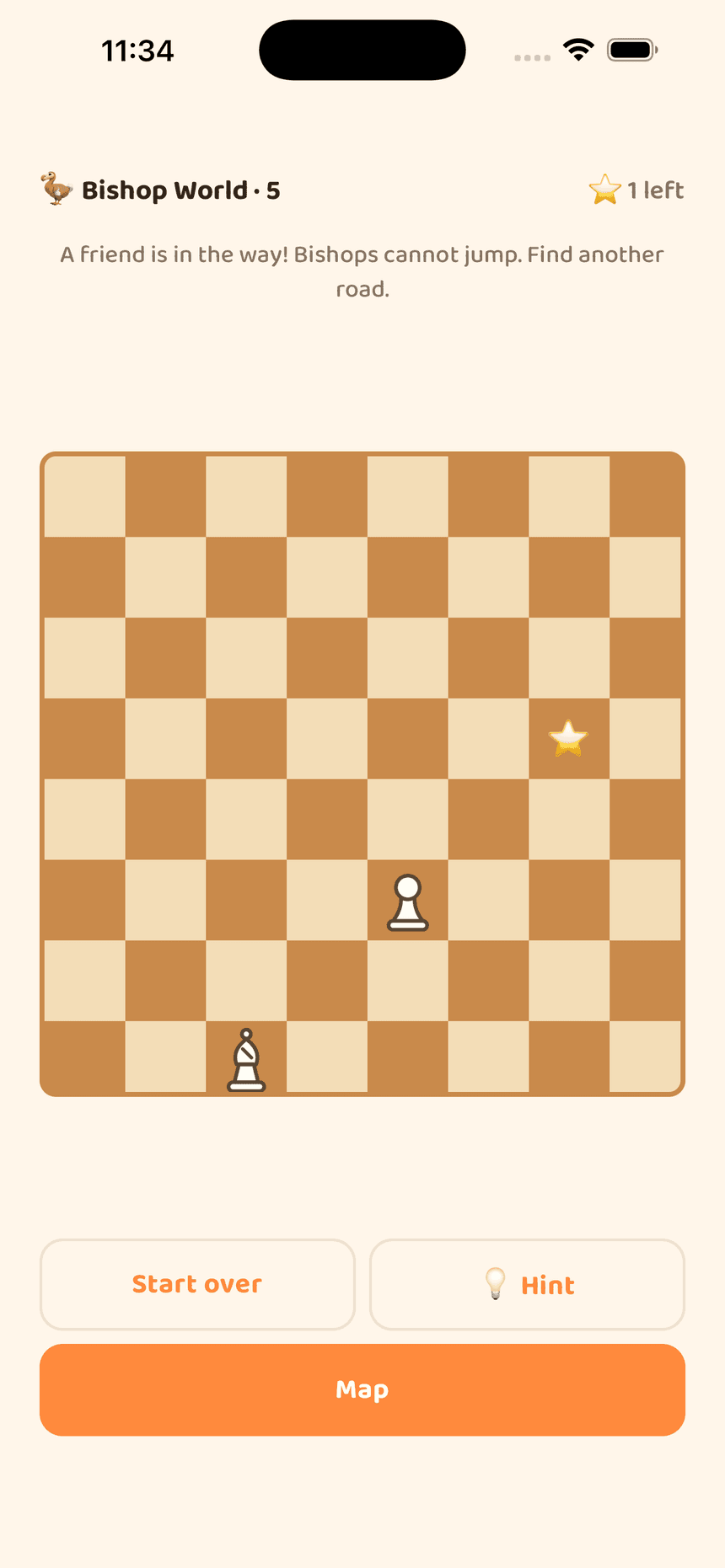
A lesson: find another road for the bishop 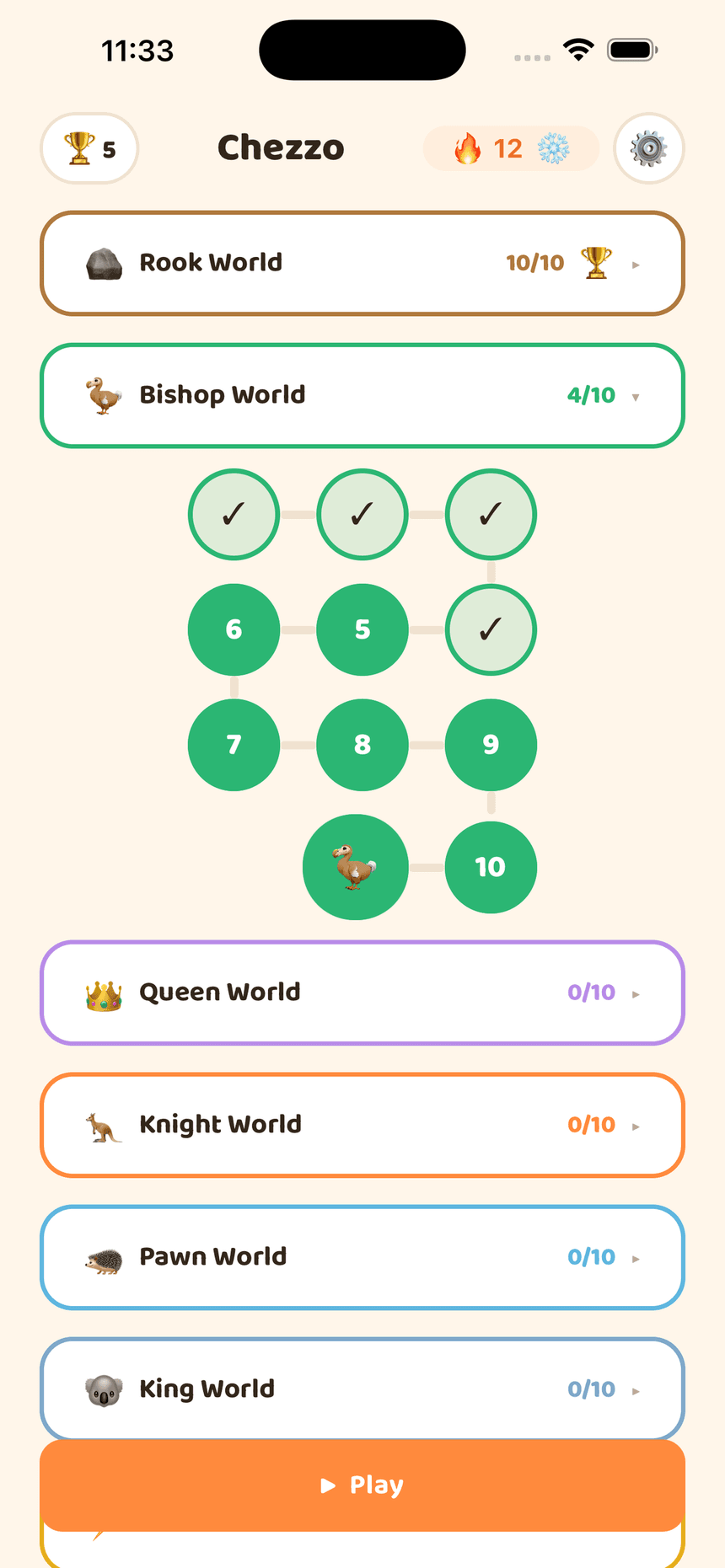
Worlds of lessons, one piece at a time 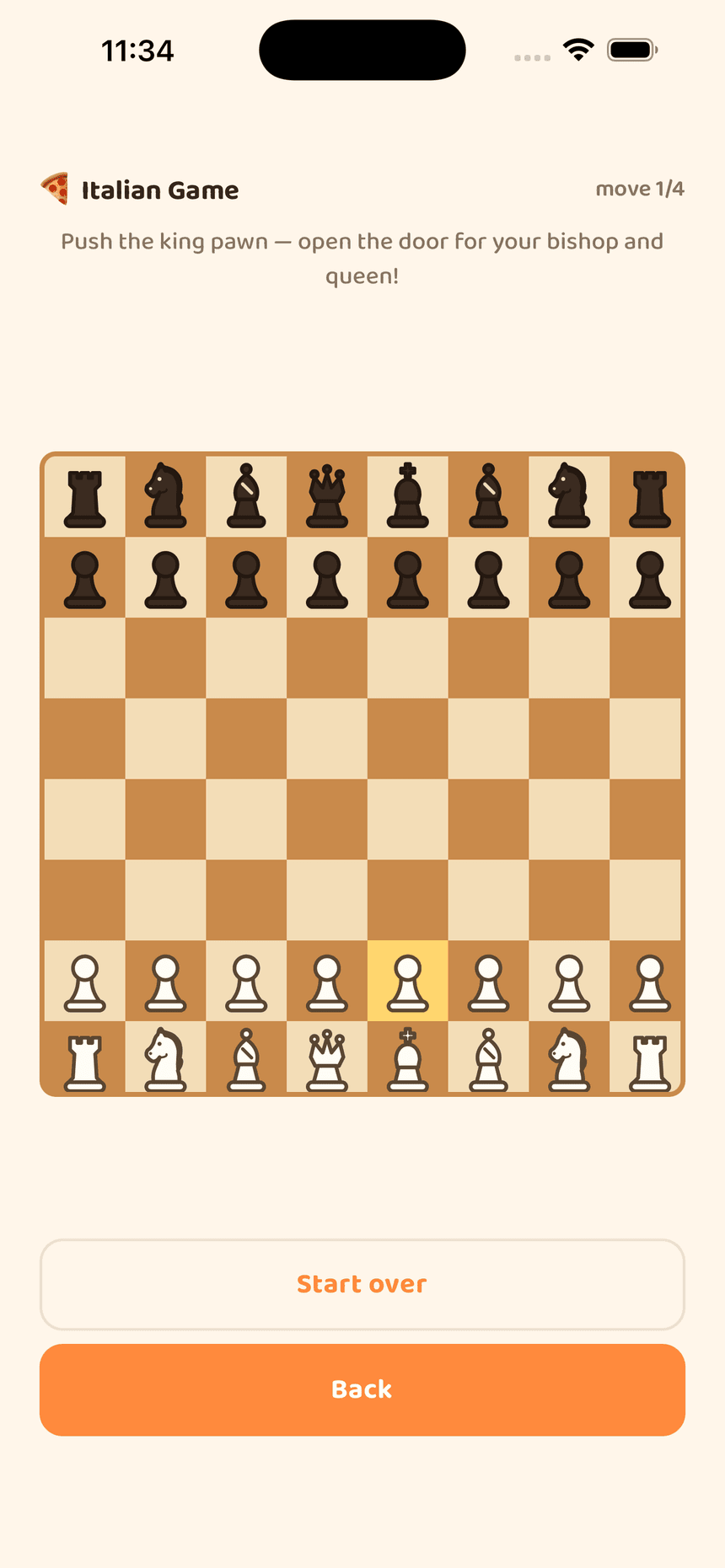
Openings, explained move by move 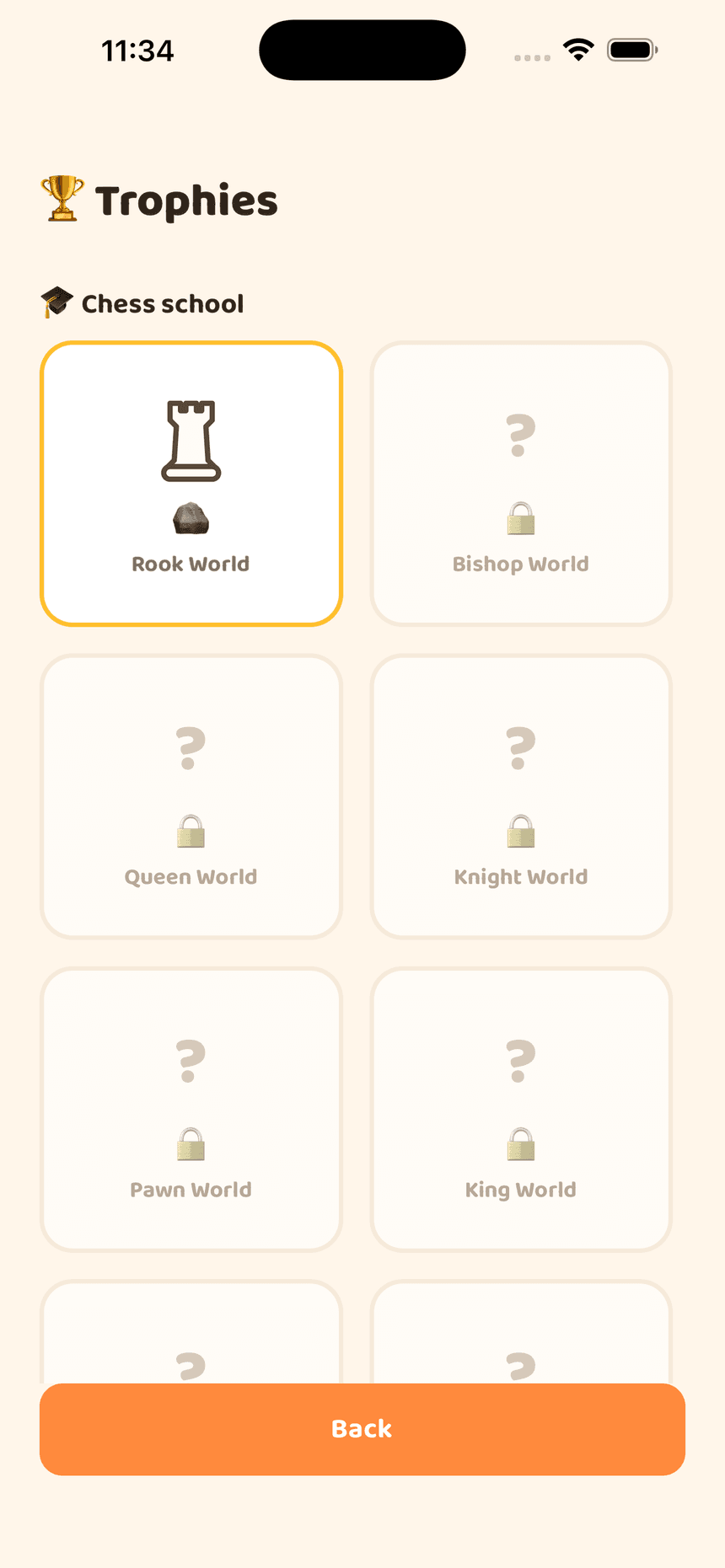
A trophy for each finished world
Screenshots from the App Store listing for Chezzo.
What it does
Chezzo is a chess school for children aged four to ten, and for the grown-ups working through it with them.
- 78 hand-made lessons on a real chessboard, one idea at a time, across eight worlds.
- A boss match against an Australian animal at the end of each world, which unlocks the next one.
- The Chezzo Club opens after the school. It has full games against four opponents of increasing strength, an in-app rating that changes after each game, eight guided openings and six endgame drills.
- A new puzzle every day.
It starts at zero
I designed Chezzo so that knowing the rules, or being able to read, is not a prerequisite. The app opens by asking who is playing. In the younger mode, instructions are spoken aloud rather than written in paragraphs.
Key decisions
Standard chess pieces on the board. I kept the board identical to a physical chess set. The kangaroo, wombat and emu belong to the story and teaching episodes, not to the game itself.
Mistakes without failure screens. There are no timers, lives or failure screens, and an illegal move simply does not happen. A younger player can be shown a useful piece, and an older one gets an optional hint. The intention is to keep mistakes inside the lesson rather than turning them into a separate failure state.
Two modes in one app.
| Mode | Ages 4–6 | Ages 7+ |
|---|---|---|
| Reading needed | None, everything is spoken | Short written lessons |
| Help | Automatic after a few tries | A hint button when asked |
| Tactics world | Not shown | Forks and pins |
The mode is a setting rather than a separate app, so it can be changed at any time as the child grows.
Nothing collected. There are no ads, in-app purchases, accounts, chat, leaderboards, analytics SDKs or crash-reporting SDKs. The app makes no network requests and works fully in Airplane Mode. Progress stays on the device, and the privacy policy can be read inside the app.
How it is built
Chezzo is one Expo and React Native codebase for iPhone and Android. Everything it needs, including the lessons, spoken instructions and opponents, ships inside the app, so it works without a connection. Progress is stored only on the device.
Current state
- iPhone: live.
- Android: in review.
Chezzo follows the same offline-first approach as my earlier learning app, Irregular Verbs.
Details
- Platforms
- iOS — live · App Store
- Android — in review
- Role
- Designed and built by me.
- Category
- Learning
- Built with
- Expo, React Native
- Website
- playchezzo.com
More products
All independent products
Freely Forms
A free, open-source form builder that delivers every response as a new row in your own Google Sheet.
Web: live
Irregular Verbs: 3 Forms
A focused app for practising the three forms of English irregular verbs.
iOS: live · Android: live

Home Heads Up
A reminder app for Australian households, covering bin days, weather, UV and everyday home tasks.
iOS: live · Android: beta